
Power Blast Lucky Blocks Script Risks: Play Safely
This safety page does not provide scripts, executors, bypasses, downloads, or instructions for cheating. It helps players recognize common warning signs, keep Roblox credentials inside official login flows, and return to legitimate progression through Aura, lucky-block blasts, Brainrots, reviewed codes, and creator-controlled destinations when a shortcut claim looks too good to trust. Pause when a page demands a key, unknown file, disabled protection, browser data, or account token. Use trusted device-security and official Roblox support channels if you already interacted with a suspicious tool.
About script and executor safety
Search results may attach words such as script, executor, key, paste, or auto-farm to a popular Roblox game. This site does not test, distribute, compare, or recommend those tools. A third-party file or command can affect more than one game, so a familiar title or thumbnail does not make it creator-approved or safe.
Never give a page your Roblox password, session cookie, authentication code, recovery code, or browser data. Do not disable security software because a download calls the detection a false positive. A reward or progression helper does not need control of your account, and official code redemption happens inside the live game.
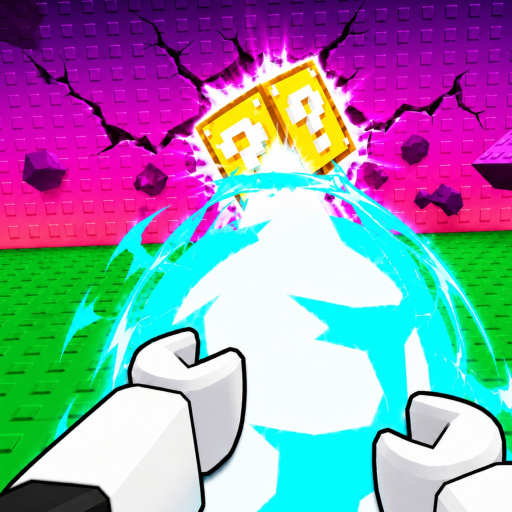
Legitimate progression is already built around Aura increasing Power, blasting a lucky block through walls, collecting Brainrots, and using the Cash they earn offline. Reviewed promotional rewards belong on the Codes page. Those routes may take longer than a shortcut promise, but they are understandable and do not require an unknown executable.
If you already installed something suspicious, stop using it, remove its access through your normal device security process, review your Roblox account sessions and security settings, and change credentials from a trusted device when appropriate. Use official Roblox support for account-specific help; do not send private account data to this fan site.
Choose a safe next step
Replace shortcut pressure with a verified game route, a maintained reward page, or an official destination you can inspect directly.
I want faster early progress
Use the beginner loop and improve one real bottleneck instead of running unknown code.
Read beginner guideI want free promotional rewards
Redeem reviewed active strings inside the game's normal Settings interface.
Open CodesMy blasts feel weak
Check Aura, Power, charge consistency, and wall feedback using a legitimate test.
Review Aura upgradesI need official destinations
Open only the verified Roblox experience and Virtuoso Games community links.
View official linksPublished script-safety articles
No executable, bypass, automation, or cheating article is published. The guidance on this landing page is the complete current safety scope.
No script or executor instructions are published.
Use supported alternatives
Script safety FAQ
Does this site provide Power Blast Lucky Blocks scripts?
No. It does not publish executors, bypasses, downloads, automation commands, or cheating instructions; this page is limited to prevention and safer alternatives.
Should a reward tool ask for my Roblox password?
No. Keep credentials, authentication codes, recovery codes, cookies, and session data inside official Roblox login and support flows.
Is a download safe because it uses the game's icon?
No. Branding, thumbnails, comments, and familiar filenames do not prove creator approval or device safety.
How can I progress without an executor?
Use Aura to build Power, test consistent blasts, collect Brainrots, reinvest Cash, and claim currently reviewed codes inside the normal game interface.
What should I do after installing something suspicious?
Stop using it, follow trusted device-security cleanup, review Roblox sessions and account security, and use official Roblox support for account-specific recovery help.

Choose a route you can understand and verify
Return to the official progression loop, use reviewed codes inside Roblox, and keep unknown executables away from your account and device.